Rapid Serial & OBDN Registry System
Designed for high-speed logistics, warehouse verification, and outbound delivery numbers. Zero duplicate errors, target quantity tracking, 100% offline capability, and instant Excel reports.
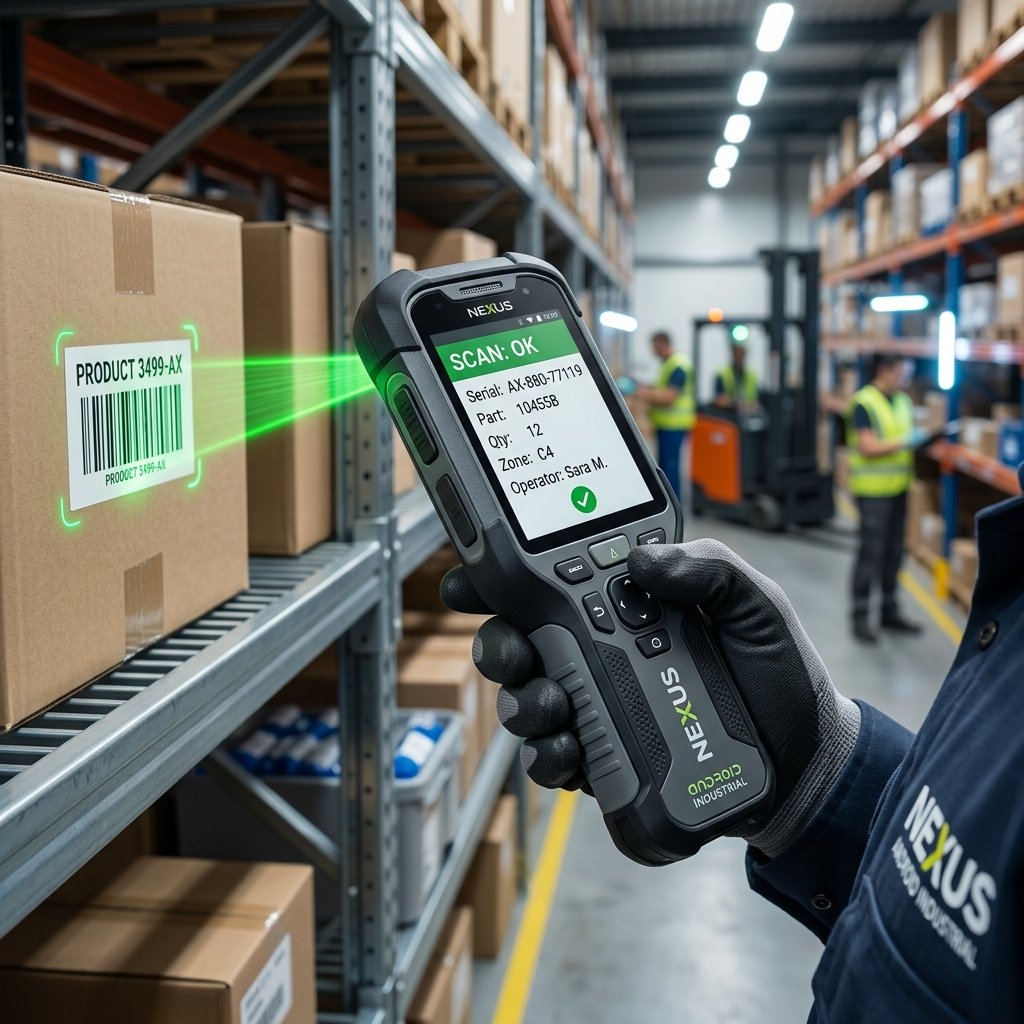
Built For Industrial Handheld Scanner Devices
Optimized for Android barcode scanner terminals with integrated hardware laser scan engines (Zebra TC/MC series, Datalogic Skorpio X5, Honeywell, Urovo, Chainway, and all OTG/Bluetooth scanners).
Product Capabilities
Built specifically for fast-paced logistics, inventory control, and supply chain managers.
OBDN & Item Qty Workflow
Input Outbound Delivery Numbers (OBDN), item description, and target quantity. Operators scan serials until the target count is verified.
Role-Based Access Control
Admin accounts have full control to edit and delete records, manage users, and reset passwords. Operator accounts are restricted from deleting records.
Excel & CSV Sharing
Export formatted Microsoft Excel (.xlsx) spreadsheets or flat CSV reports directly from the device to email, WhatsApp, or local storage.
100% Offline Performance
After one-time registration, all scanning, duplicate checks, local SQLite database queries, and exports run completely offline.
Audio & Voice Warnings
Real-time audible beeps and hands-free text-to-speech warnings alert operators of duplicate serial numbers or target limits.
Download OBDN Scanner Android App
Install the official Android application package directly onto your Zebra, Datalogic, Honeywell, or Android handheld device. Built for industrial scanning efficiency.
Software Activation Required
Required before initial app usageBefore using the OBDN Scanner app, each device requires activation using a unique 5-character Unique ID and 5-character Activation Key provided by your system administrator.
Request Application & Demo
Ready to deploy OBDN Serial Scanner across your warehouse handheld devices? Send your inquiry to receive activation license keys and application packages.
Submit App Inquiry
Frequently Asked Questions
Everything you need to know about deploying OBDN Serial Scanner on your handheld devices.
📱 What hardware handheld devices are supported?
OBDN Serial Scanner supports all Android-based industrial handheld scanners including Zebra (TC52, TC57, MC3300, TC21), Datalogic (Memor 10/20), Honeywell (Dolphin CT60/CK65), and any standard Android smartphone running Android 8.0 or higher.
📶 Does the app require continuous internet access?
No. OBDN Serial Scanner is engineered for 100% offline scanning performance. All scanning sessions, target quantity checks, and duplicate validation operate locally on SQLite database. Internet connection is only required during initial software activation key binding.
📊 How are scanned serial numbers exported for ERP / WMS?
Scanned outbound delivery numbers (OBDN) and individual serial tags can be exported instantly into clean CSV files, emailed to warehouse managers, or audited through the built-in admin web portal dashboard.